Executing script found in plugin cordova-plugin-add-swift-support for hook "after_prepare": plugins/cordova-plugin-add-swift-support/add-swift-support.js
Using "requireCordovaModule" to load non-cordova module "glob" is not supported. Instead, add this module to your dependencies and use regular "require" to load it.
CordovaError: Using "requireCordovaModule" to load non-cordova module "glob" is not supported. Instead, add this module to your dependencies and use regular "require" to load it.
    at Context.requireCordovaModule (/usr/local/lib/node_modules/cordova/node_modules/cordova-lib/src/hooks/Context.js:57:15)
    at exports.default (/Users/malhaz/Documents/Applications/IOS/main-last-coinlore/plugins/cordova-plugin-add-swift-support/add-swift-support.js:12755:22)
    at runScriptViaModuleLoader (/usr/local/lib/node_modules/cordova/node_modules/cordova-lib/src/hooks/HooksRunner.js:157:32)
    at runScript (/usr/local/lib/node_modules/cordova/node_modules/cordova-lib/src/hooks/HooksRunner.js:136:12)
    at /usr/local/lib/node_modules/cordova/node_modules/cordova-lib/src/hooks/HooksRunner.js:108:40
    at processTicksAndRejections (internal/process/task_queues.js:97:5)
[ERROR] An error occurred while running subprocess cordova.
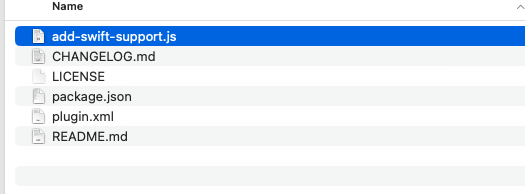
One of the methods which worked is to go in plugins/cordova-plugin-add-swift-support open add-swift-support.js
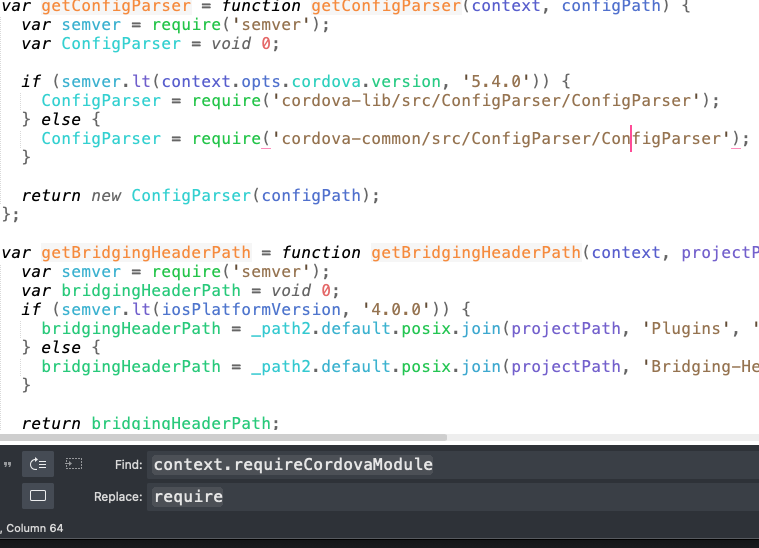
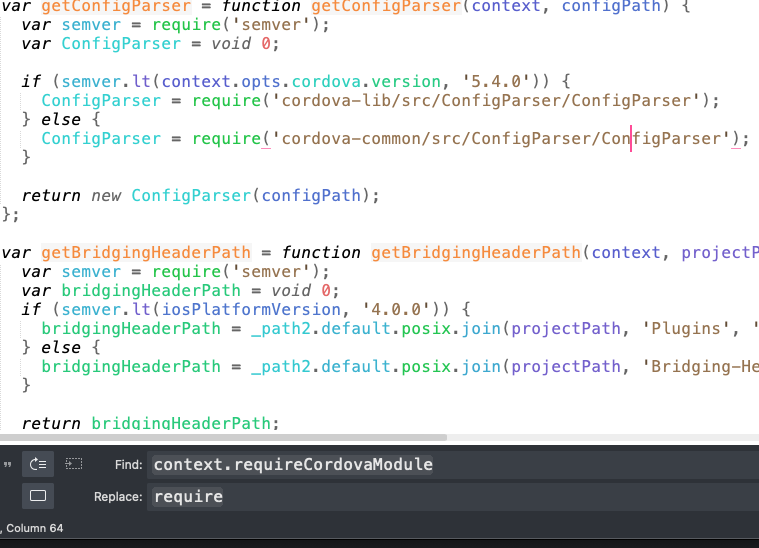
Now search for context.requireCordovaModule and replace it with require